How Can I Check NTN Status Online by CNIC in Pakistan?
NTN stands for "National Tax Number". We frequently use it in tax discussions and work. An individual, a company, or an association of persons (AOP) or foreign national when registered with FBR…
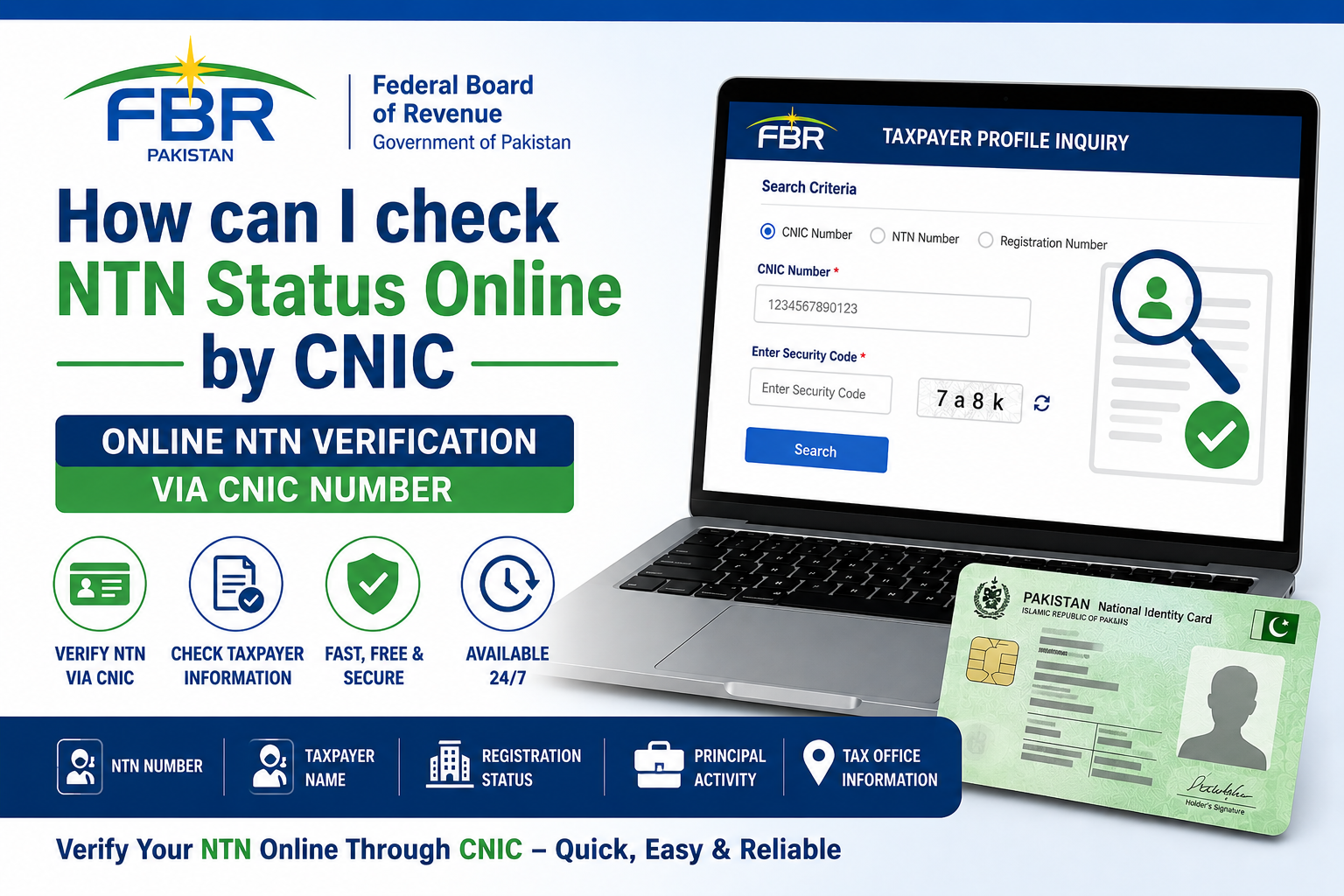
How to Check NTN Status Online by CNIC in Pakistan
NTN stands for "National Tax Number". We frequently use it in tax discussions and work. An individual, a company, or an association of persons (AOP) or foreign national when registered with FBR then it provides you with a National Tax Number (NTN) or Registration Number and password.
In the case of salaried persons/individuals/sole proprietors, 13 digits Computerized National Identity Card (CNIC) uses as NTN or Registration Number. NTN or Registration Number for AOP and Company is the 7 digits NTN issued by FBR after registration. By using this information on the FBR Iris one can access the portal to file the tax return.
Benefits of having National Tax Number (NTN)
There are a lot of benefits to having national tax number (NTN):
- Tax Saving via tax credits
- claiming tax credits for investments
- adjustment of advance taxes paid on utilities, vehicle, property purchase & sale,
- paying tax and then filing tax returns is every citizen's responsibility,
- compulsory at times of registration of company, purchase of property and loan processing
How to Check ATL status of NTN Online?
When a taxpayer is filing tax returns with the FBR regularly then he is considered as active tax filer. Names of such taxpayers are included in the active taxpayers list (ALT) periodically. Let us explain you how you can check your NTN ATL status:
- Open FBR Portal https://iris.fbr.gov.pk/
- Go at the " online verifications" portion
- Now click on the tab "Active Taxpayers List (Income Tax)"
- a new menu will open on right side
- now select & enter parameter type which is CNIC/NTN/Registration/Passport/Incorporation No
- enter registration number as per parameter type
- enter date and select captcha, then verify
- it will give the result and you can now save and download it in PDF
How to check NTN status online by CNIC?
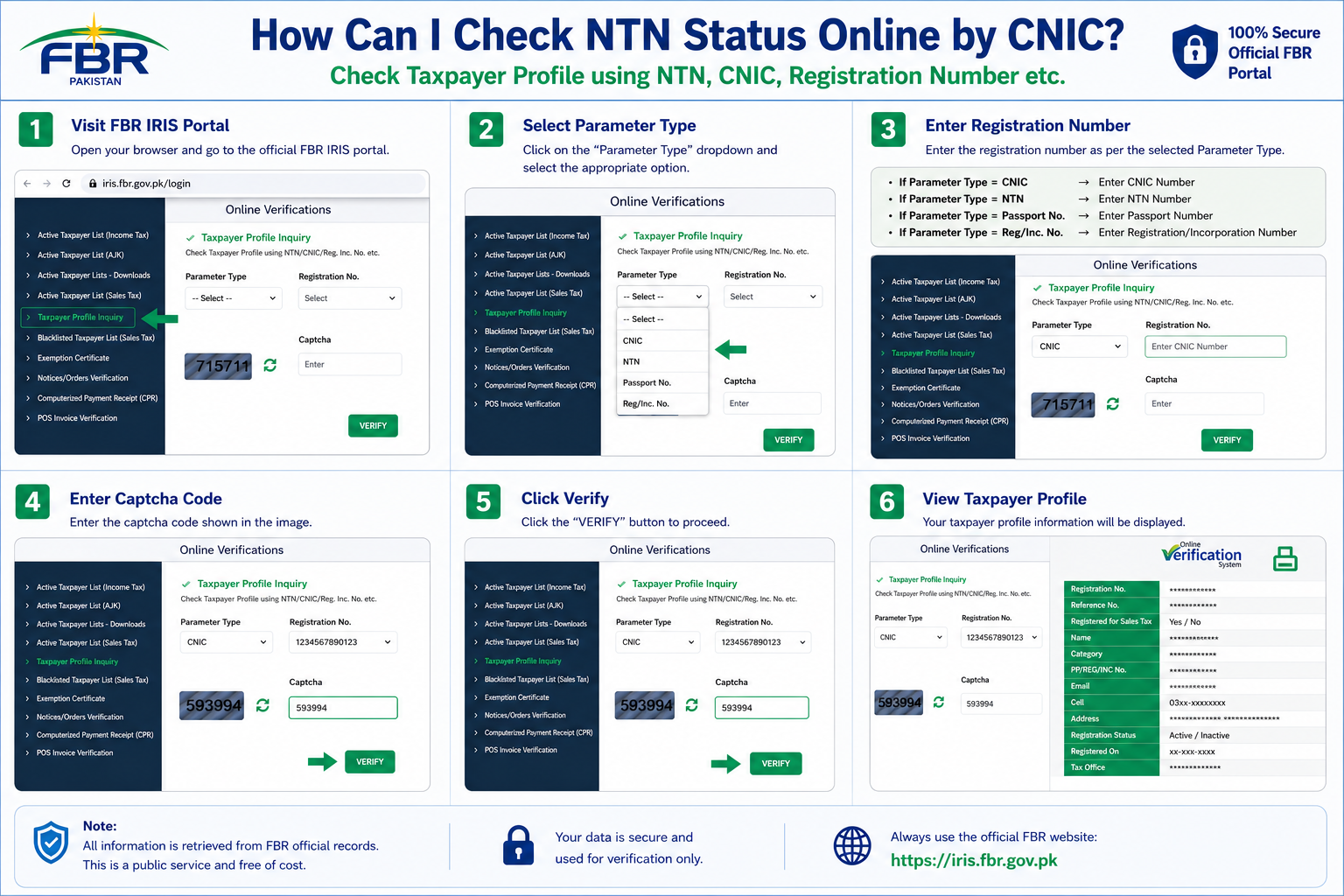
Once a taxpayer registers with FBR then NTN can be verified by entering the registration number/CNIC. We can follow the following steps for NTN verification:
- Open FBR Portal https://iris.fbr.gov.pk/
- Go at the " online verifications" portion
- Now click on the tab "Taxpayer Profile Inquiry"
- a new menu will open on right side
- now select & enter parameter type which is CNIC/NTN/Registration/Passport/Incorporation No
- enter registration number as per parameter type
- enter date and select captcha, then verify
- it will give the result and you can now save and download it in PDF
Frequently Asked Questions (FAQs)
Answer: Here we want to remind you that your NTN number is now called the reference number and they are the same thing as has been explained earlier.
Answer: Here the fact is also clarified that In the case of individuals, 13 digits Computerized National Identity Card (CNIC) will be used as NTN or Registration Number.
Answer: You can check your NTN number by visiting FBR Iris Portal by entering your CNIC number as parameter. You can also check the NTN number by downloading TaxAsaan App and visiting verification Tab.
Answer: Yes you can check your NTN status and active taxpayer status online by visiting FBR Iris portal.
Answer: You can download your NTN certificate by visiting FBR Iris portal and accessing the dashboard by logging it. You may download it by navigating to Certificate and then click Registration, now download and save it.
TAGS
NTN verification online | FBR taxpayer profile inquiry | ATL status check | Check active taxpayer status | FBR iris login | Income tax return filing in Pakistan | How to register NTN online | Taxpayer registration in Pakistan | Download NTN certificate | FBR Maloomat portal | FBR online services | CNIC NTN check Pakistan | NTN by CNIC | Tax filer status check | Business NTN registration | Salaried person tax in Pakistan | FBR registration guide | Tax calculator Pakistan | IRIS password recovery


