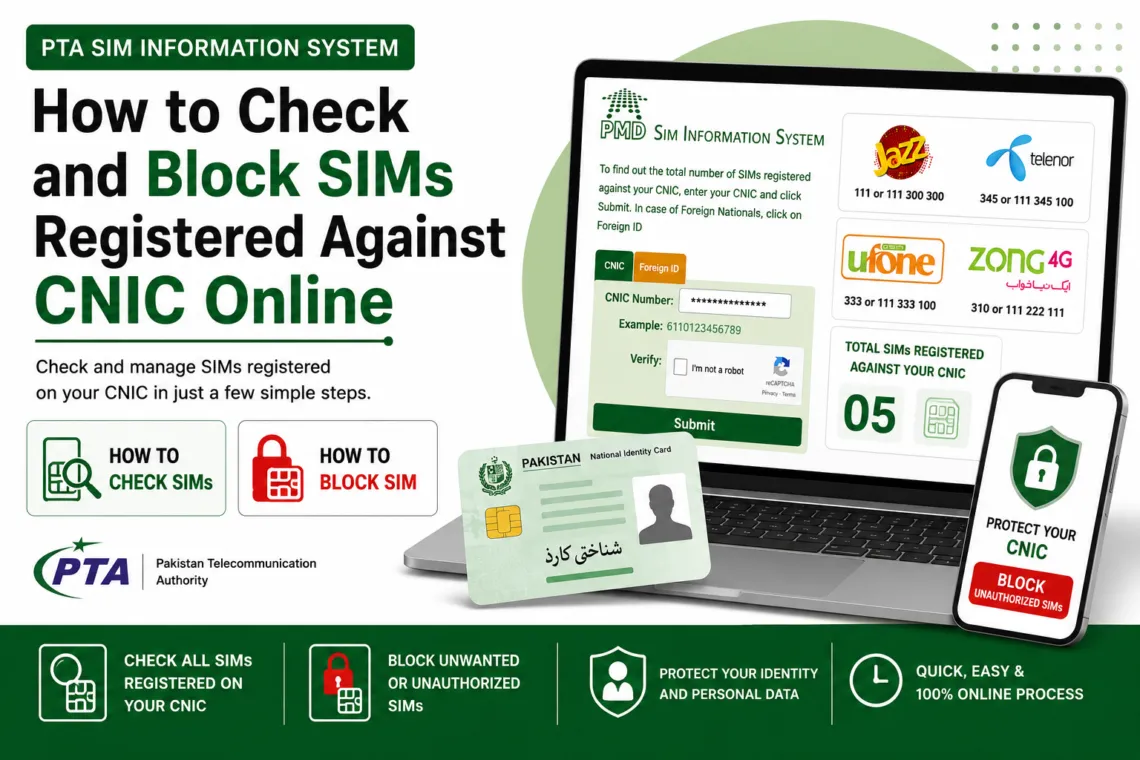
How to Block SIM Registered Against Your CNIC – Complete PTA Guide 2026
According to PTA’s 2026 rules each CNIC can have five voice SIM numbers and three data SIM numbers only. Many people are unaware of SIMs registered in their name without their knowledge — these afterwards can be used for fraud activities, scams, and financial crimes. In this case the CNIC holder is held legally responsible for all activity on those SIMs.
Why You Should Block Unknown SIMs?
Once the mobile SIM is attacked by the attackers through SIM swap fraud they receives all incoming calls, SMS messages, OTPs, and banking verification codes, and can drain JazzCash, Easypaisa, and bank accounts within minutes.
However, PTA advisory specifically warned that allowing another person to use a SIM registered in your name is a violation of telecom law.
How to Block Mobile SIM Registered against your CNIC
We will explain to you here how to block mobile SIMs registered against your CNIC. We discuss this process step by step:
- Steps to block the mobile SIMs are the same for all mobile telecom operators.
- To block a SIM card already registered against your CNIC, you need to visit the franchise or customer service Centre of your telecom company
- You need to provide your original CNIC and fill a form there
- attach three copies of your CNIC
- you will need to wait for your turn to provide above information on the information desk
- These are the steps to block SIMs registered against your CNIC
List of Telecom Companies in Pakistan
Following is the list of telecom companies in Pakistan:
- Pakistan Mobile Communications Limited (Jazz)
- CMPak Limited (Zong)
- Telenor Pakistan Limited (Telenor)
- Pakistan Telecom Mobile Limited (Ufone)
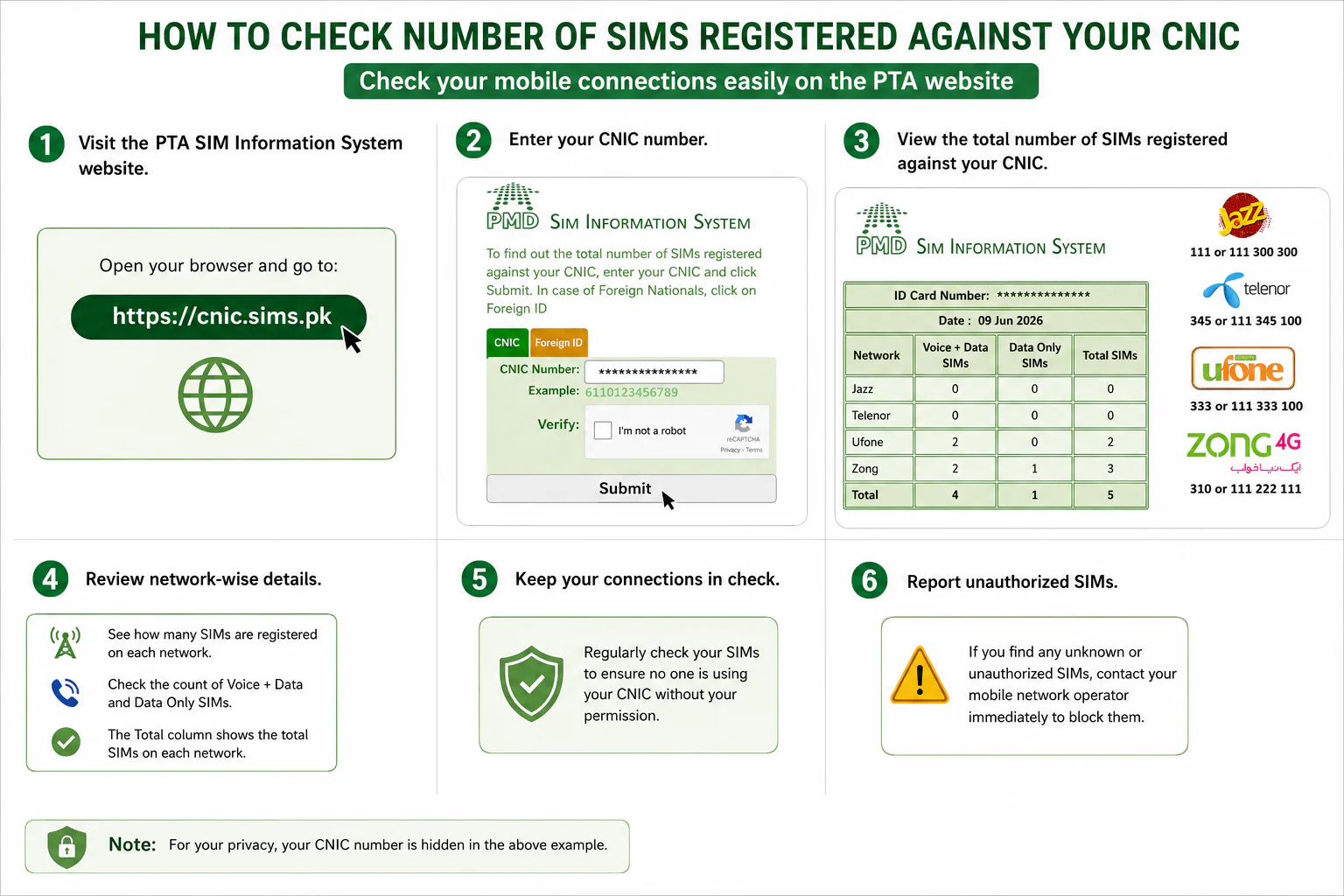
How to Check Number of SIMs Registered on Your CNIC
Method 1 – SMS 668
Send your 13-digit CNIC number (no dashes or spaces) to 668 returns an automated reply listing number of SIMs registered against your CNIC, along with the network operator, specifying the Voice plus data and data SIMs only.
Method 2 – Online Portal
The cnic.sims.pk web portal provides the ‘SIM INFORMATION SYSTEM” detail of number of SIMS registered on given CNIC number. It gives information of voice plus data SIMS and data SIMS only. Network operator information is also given there.
Method 3 – Check a Specific SIM (667)
Sending the text “MNP” to 667 from a specific SIM returns the registered owner’s name, cell number, cnic number, IMSI number, activation date, and connection type.
How to Secure yourself from SIM Frauds?
Now a days it is very important and necessary to prevent yourself from SIM related frauds and scams. These scammers misuse your SIMS, or take unauthorized access to your bank accounts to manipulate your money. Following are some preventive measures which everyone should take to avoid such frauds or scams.
- Never share your CNIC original or in copy to any unknown persons.
- You have to buy mobile SIMS from authorized branches only of telecom companies.
- You may check your 668 status every month
- If CNIC card is lost then immediately inform to NADRA.
- Use 667to verify your sim periodically.
- Visit cnic.sims.pk periodically to check number of sims against your CNIC and block if any extra sim is found.
FAQ Section
Each CNIC can have five voice SIM numbers and three data SIM numbers only.
Yes it’s free you can visit PTA’s SIM INFORMATION SYSTEM at https://cnic.sims.pk/ to check number of SIMS registered against your CNIC number.
If you fail to block any unauthorized SIM registered against your CNIC then you may face many risks like legal, financial and security risks.
TAGS
PTA | CNIC | SIM Block Pakistan | Pakistan Telecom | Unauthorized SIM | SIM Fraud | 668 SMS | cnic.sims.pk | Jazz | Zong | Telenor | Ufone | NADRA | SIM Disowning | Mobile Security Pakistan